Behavior Variance
Behavior variance is used to add simulate natural human behavior patterns for specific smart actions.
For example, an auto-fire sequence's Waits will be slightly above or below the value you specified:

Or, a recoil control sequence's Aim Magnitude and Angle actions will be slightly offset from the values you specified:

Note
Variance is controlled per-binding and is enabled by default.
Configuring Variance
To configure variance, under Mappings press the "..." and select Behavior Simulation.
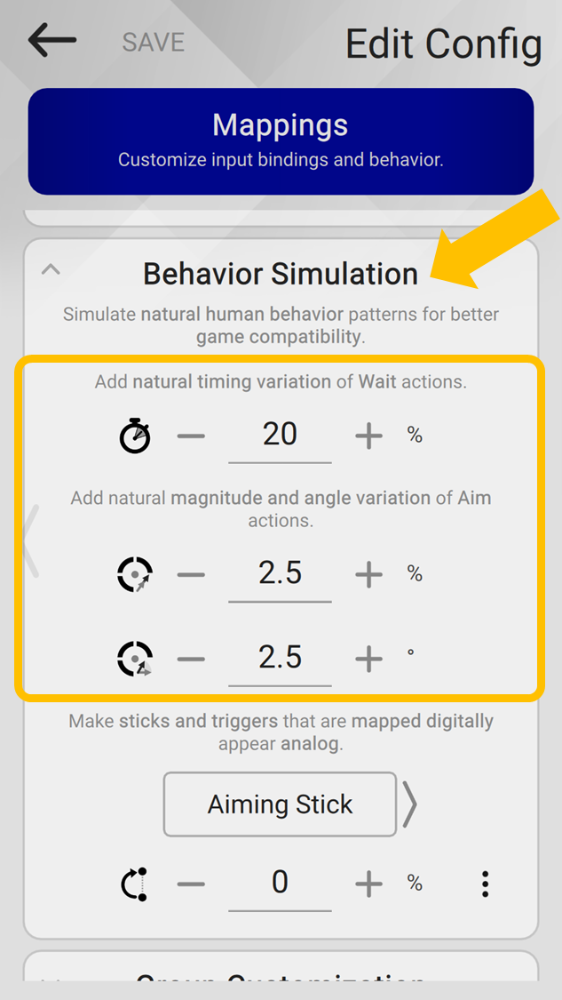
Wait Variance
Wait Variance is a percentage of variance above or below the specified value.
For example, 20% for a 150ms wait time means, when run, the wait will be between 120ms and 180ms.
Aim Magnitude Variance
Aim Magnitude Variance is a percentage of variance above or below the specified value.
For example, 2.5% for a 10°/s magnitude action means, when run, the value will be between 10.25°/s and 9.75°/s.
Aim Angle Variance
The Aim Angle Variance value is a variance offset above or below the specified value.
For example, 2.5° for a 180° angle action means, when run, the value will be between 182.5° and 177.5°.
Note
For all variance settings, setting to 0 will disable it for all bindings.
Disabling Variance
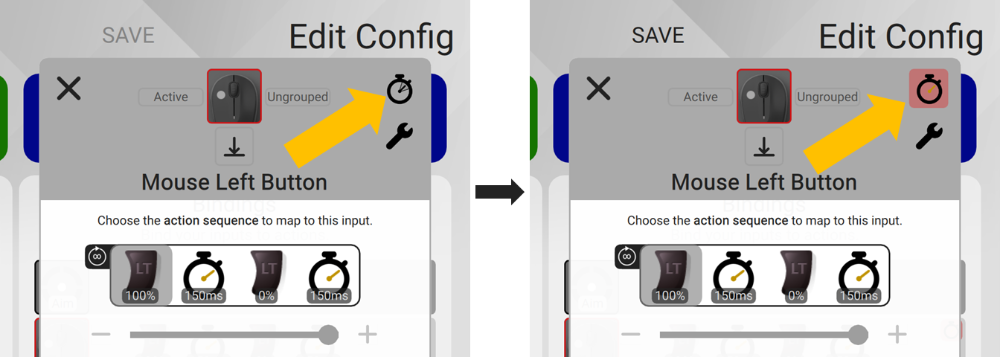
To disable variance per-binding, edit your Config and press the watch icon.
The icon will turn red when it's off.
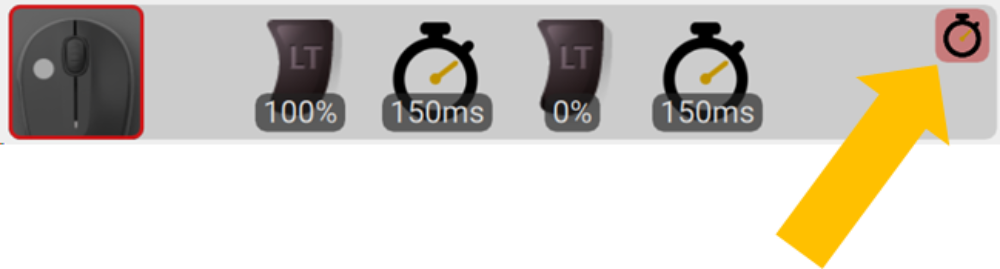
You will see this red icon for the binding in the binding list as well.
Warning
While disabling wait variance will make your sequence timing perfect, it also means it will behave less human.
Disabling Simulate Analog Behavior
When disabling Variance for a binding, this will also disable Simulate Analog Behavior for that binding as well.